

Best Free AI Tool to Make YouTube Shorts From Long Videos — 2026 Guide
Finding the best free ai tool to make youtube shorts from long videos can save you hours of manual editing every week. YouTube Shorts receive over seventy billion daily views, and the creators growing fastest are the ones who repurpose their existing long-form content rather than producing Shorts from scratch. The right AI tool analyzes your long video, identifies the most engaging moments, reframes to vertical 9:16, adds captions, and delivers publish-ready clips in minutes. This guide reviews the top options and shows you exactly which is the best free ai tool to make youtube shorts from long videos in 2026.
Why AI Tools Beat Manual Editing for YouTube Shorts
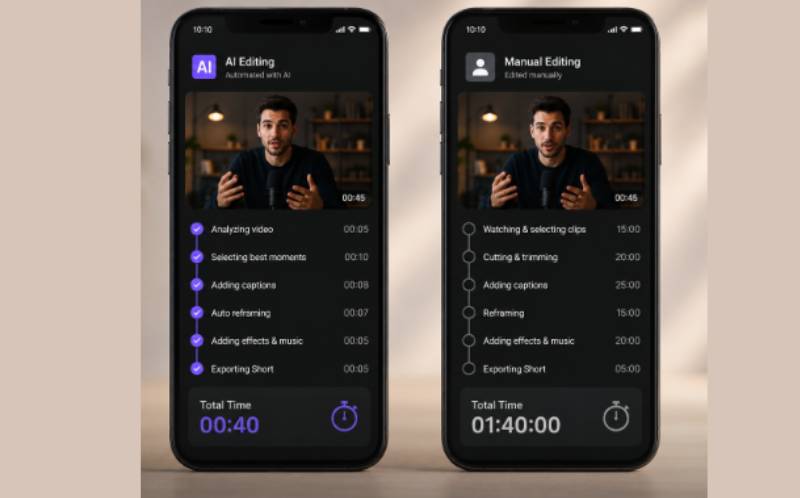
Manually creating YouTube Shorts from long videos involves scrubbing through your footage, identifying good moments, cutting clips, reformatting from 16:9 to 9:16 aspect ratio, adding captions, and uploading. For a thirty-minute video, this process takes two to three hours to produce five Shorts. An AI tool completes the same work in under five minutes.
AI clipping technology analyzes speech patterns, emotional peaks, visual action, and scene changes to identify moments that drive engagement. Instead of guessing which moments will perform, the AI uses data signals to detect highlight detection opportunities. This is why every serious creator needs to find the best free ai tool to make youtube shorts from long videos — the quality is higher and the time investment is ninety-five percent lower.
Convert Long YouTube Video to Shorts Automatically — Step by Step
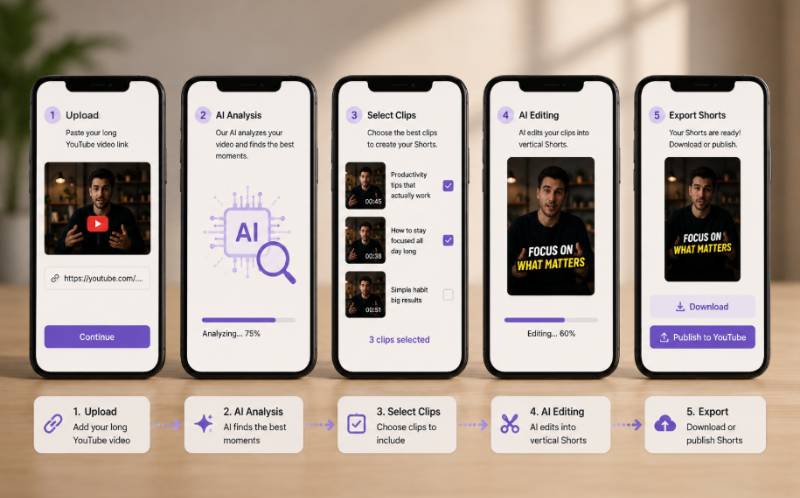
Here is the exact workflow to convert long youtube video to shorts automatically using ReframeX:
- Step 1: Upload or paste link — Go to ReframeX and either upload your video file or paste the YouTube URL directly. The platform accepts videos of any length and resolution up to 4K.
- The AI clip generator scans the entire video and identifies the most engaging moments. It produces ten to twenty clip suggestions per thirty-minute video, each scored for predicted engagement.
- Step 3: Smart crop to vertical — Each clip is automatically reframed from 16:9 to 9:16 aspect ratio using smart crop with dynamic subject tracking. The AI follows faces and action frame by frame.
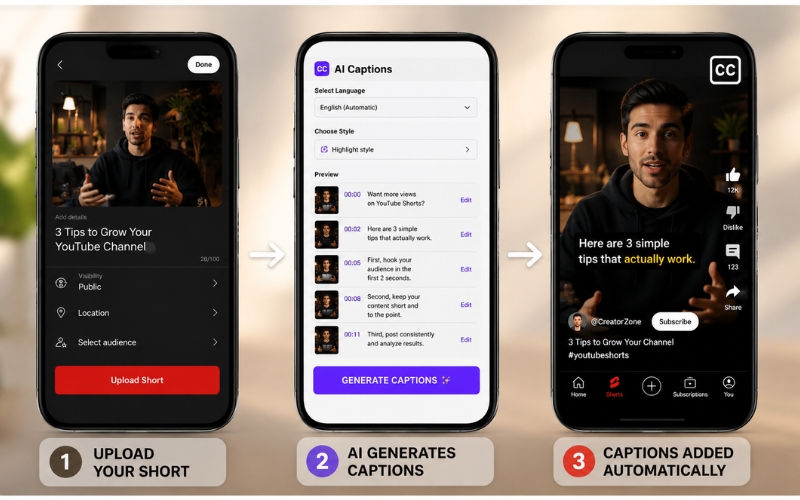
- Step 4: Auto captions — AI captions are generated with animated word-by-word highlighting in your chosen language. Over eighty percent of Shorts viewers watch without sound, making captions essential for watch time.
- Step 5: Publish everywhere — Schedule and publish directly to YouTube Shorts, TikTok, Instagram Reels, and more from one dashboard. One click, multiple platforms.
This five-step process is how to convert long youtube video to shorts automatically in under five minutes. No timeline scrubbing, no manual cropping, no separate captioning tool.
Free AI YouTube Shorts Generator From Long Video — Top 6 Tools Compared
Here is a comprehensive comparison of every major free ai youtube shorts generator from long video available in 2026:
| Tool | AI Detection | Smart Crop | Captions | Free Tier | Direct Publish |
|---|---|---|---|---|---|
| ReframeX | Speech + emotion + visual | Yes — subject tracking | 98%+, 160+ langs, animated | Free, no watermark | YouTube, TikTok, IG, LinkedIn |
| OpusClip | Virality score AI | Basic center crop | 90%+, English-focused | 60 min/month free | YouTube, TikTok |
| Vizard.ai | Topic-based detection | Basic crop | 92%+, 30+ langs | 120 min/month free | No direct publish |
| Descript | Transcript-based | No smart crop | 95%+ English only | 1 hr/month free | No direct publish |
| Kapwing | Scene detection | Basic crop | 90%+, 70+ langs | Watermark on free | No direct publish |
| CapCut | Basic scene cuts | Center crop | 90%+, 20+ langs | Free, watermark | TikTok only |
When comparing every free ai youtube shorts generator from long video, ReframeX stands out with the most comprehensive feature set on the free tier — no watermarks, 160+ language captions, intelligent subject-tracking crop, and multi-platform publishing. This is why we consider it the best free ai tool to make youtube shorts from long videos for most creators.
AI Tool to Extract Clips From YouTube Video — How Detection Works
Understanding how an ai tool to extract clips from youtube video works helps you choose the right platform. Basic tools use simple scene detection — they split the video at every visual transition, producing clips at arbitrary points that may not be engaging. Advanced tools like ReframeX use multi-signal analysis.
The AI simultaneously evaluates four signals: speech energy to detect emphasis, passion, and key statements; emotional cues from facial expressions and vocal tone; visual action to identify dynamic moments with movement or on-screen changes; and scene context to understand narrative structure and conversation flow. When multiple signals peak simultaneously, the ai tool to extract clips from youtube video identifies that moment as a high-engagement clip candidate.
This multi-signal approach is what separates the best free ai tool to make youtube shorts from long videos from basic trimming tools. The clips are not random cuts — they are the moments most likely to stop the scroll and drive viewer retention.
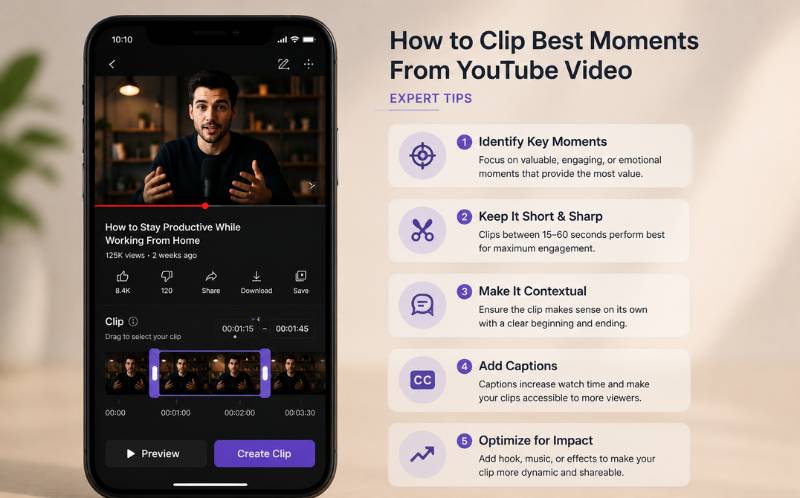
How to Clip Best Moments From YouTube Video — Expert Tips
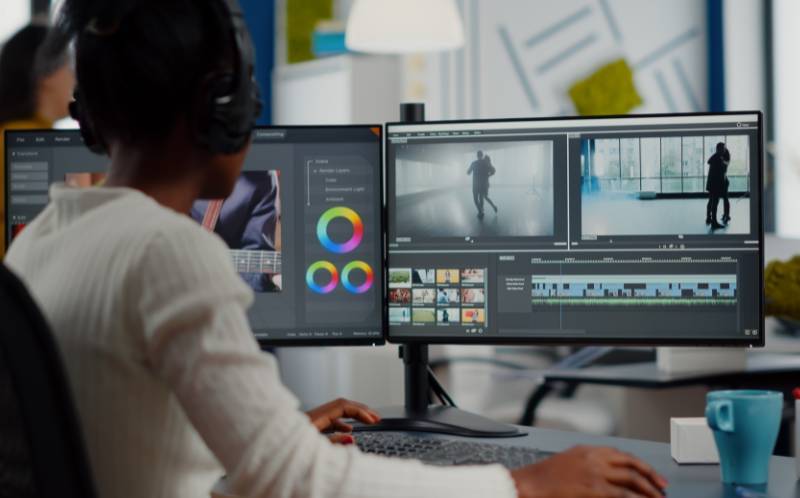
After using an AI tool, apply these expert tips to ensure you select and optimize the best clips:
- Prioritize clips with natural hooks — When learning how to clip best moments from youtube video, look for segments that start with a question, surprising statement, or bold claim. These create immediate viewer curiosity without needing an artificial intro.
- Keep Shorts between fifteen and forty-five seconds — YouTube’s data shows this range achieves the highest completion rates. If the AI suggests a ninety-second clip, trim it to the strongest forty-five seconds.
- Select moments with emotional range — Clips with laughter, surprise, or intensity perform better than monotone delivery. The best way to learn how to clip best moments from youtube video is to look for emotion, not just information.
- Test multiple clips per topic — From one thirty-minute video, the AI suggests fifteen to twenty candidates. Publish the top five and monitor which formats drive the most subscribers. Double down on what works.
- Always add captions and a CTA — End every Short with a text overlay: "Subscribe for more" or "Full video — link in description." This converts Short viewers into channel subscribers, which is the ultimate goal of knowing how to clip best moments from youtube video effectively.
These tips combined with the right ai tool to extract clips from youtube video create a systematic Shorts production workflow that drives consistent growth.
Why Most Free AI Shorts Tools Disappoint — And What to Look for Instead
The search for the best free ai tool to make youtube shorts from long videos often leads creators to tools that promise everything and deliver frustration. Understanding why most free tools disappoint helps you make a smarter choice.
The first common issue is watermarks. Many tools advertise a free tier but stamp a visible watermark on every exported clip. YouTube Shorts with watermarks from other tools look unprofessional and signal to viewers that you are using a free product. Worse, if the watermark is from TikTok or another platform, YouTube’s algorithm deprioritizes the content.
The second issue is center-only cropping. Basic tools crop the center of every frame when converting from 16:9 to 9:16. This works for perfectly centered talking-head content but fails for any video with movement, gestures, or multiple subjects. The result is Shorts where speakers get cut off mid-sentence or important visuals disappear from frame. The best free ai tool to make youtube shorts from long videos must include smart crop with subject tracking — not just static center crop.
The third issue is limited language support for captions. Over eighty percent of YouTube Shorts viewers watch without sound, making captions essential. Many free tools only support English captioning, which excludes your international audience. ReframeX solves all three issues on the free tier: zero watermarks, smart crop with frame-by-frame subject tracking via the smart crop engine , and AI captions in 160+ languages through the caption generator.
How to Measure Which AI Shorts Tool Actually Performs Best
Instead of trusting marketing claims, here is how to objectively evaluate the best free ai tool to make youtube shorts from long videos by testing each tool with the same source video:
- Upload the same thirty-minute video to three different tools. Compare how many clips each AI suggests and whether the selected moments are genuinely the most engaging parts of your content.
- Evaluate crop quality by checking whether subjects stay centered during movement. Play each generated Short on your phone and note any moments where speakers are cut off or action moves out of frame.
- Test caption accuracy by comparing the generated text to what was actually spoken. Count the errors per one-minute clip. Anything above two errors per minute indicates unreliable speech-to-text technology.
- Check export quality by uploading each Short to YouTube and viewing it on a mobile device. Look for compression artifacts, resolution loss, or audio sync issues that appeared during processing.
- Measure total time from upload to publish-ready Short. The best free ai tool to make youtube shorts from long videos should complete the entire process — clip detection, cropping, captioning, and export — in under five minutes for a thirty-minute source video.
This objective testing method eliminates marketing hype and reveals which tool genuinely delivers the best results. In our testing, ReframeX consistently produces the highest clip quality with the fastest
What to Look for in a Free AI Shorts Tool
Not all free tiers are created equal. When evaluating the best free ai tool to make youtube shorts from long videos, check these critical factors: Does the free tier add watermarks to your clips? Watermarked Shorts look unprofessional and signal to viewers that you are using a free tool. Does the tool include smart crop or just center crop? Center crop cuts off subjects and action. Does the free ai youtube shorts generator from long video include captions, or is that a paid add-on? Captions are not optional for Shorts performance.
Also verify multi-platform publishing support. The best tools let you convert long youtube video to shorts automatically and then distribute to TikTok, Instagram Reels, and Facebook Reels from the same dashboard. Switching between tools for each platform wastes the time you saved by using AI in the first place
Frequently Asked Questions
What is the best free ai tool to make youtube shorts from long videos?
ReframeX is the best free ai tool to make youtube shorts from long videos in 2026. It offers AI moment detection, smart crop subject tracking, captions in 160+ languages, animated word highlighting, and multi-platform publishing — all on the free tier with no watermarks.
Is there a free ai youtube shorts generator from long video?
Yes. ReframeX, OpusClip, Vizard, and CapCut all offer free tiers. ReframeX provides the most complete free ai youtube shorts generator from long video experience with no watermarks, while others limit features or add watermarks on free plans.
How do I convert long youtube video to shorts automatically?
Upload your video to an AI tool like ReframeX. The AI identifies engaging moments, reframes to 9:16 vertical, adds captions, and produces publish-ready Shorts. This is how to convert long youtube video to shorts automatically in under five minutes per video.
What makes a good ai tool to extract clips from youtube video?
A good ai tool to extract clips from youtube video uses multi-signal analysis — speech energy, emotional cues, visual action, and scene context — rather than simple scene detection. It should also include smart crop, captions, and multi-platform publishing.
How to clip best moments from youtube video for Shorts?
Let AI identify the highest-engagement moments first, then prioritize clips with natural hooks, emotional range, and a clear value point. Keep clips fifteen to forty-five seconds and always add captions. This is how to clip best moments from youtube video consistently.
How many Shorts can I make from one long YouTube video?
A typical thirty-minute video produces ten to twenty clip candidates through AI analysis. After selection and optimization, most creators publish five to ten Shorts per long video. This volume feeds a consistent publishing schedule using the best free ai tool to make youtube shorts from long videos.
How do I test which free AI Shorts tool is actually the best?
Upload the same thirty-minute video to three different tools and compare: number of clips suggested, crop quality on mobile, caption accuracy (errors per minute), export resolution, and total processing time. The best free ai tool to make youtube shorts from long videos should complete everything in under five minutes with zero watermarks and high caption accuracy.
Try the Best Free AI Tool for YouTube Shorts
Ready to find out why ReframeX is the best free ai tool to make youtube shorts from long videos? Upload your first video and generate Shorts in under five minutes. Get started free – no credit card, no watermark.
AUTHOR BIO
Written by the ReframeX Content Team — video production specialists, SEO strategists, and AI technology experts with over fifteen years of combined experience in video content optimization. The team has helped creators and media organizations process millions of videos across 160+ languages.
Finding the best free ai tool to make youtube shorts from long videos is the first step. Using it consistently is what drives growth. Start today.




