







AI Video Tools
Schedule Content With Precision and Visibility
Plan, schedule, and automatically publish videos to individual social accounts — all from a centralized calendar interface. Whether you’re managing daily posts or high-volume content campaigns, Social Media Scheduling keeps everything organized, optimized, and on time.
2M+
Videos Created
95%
Time Saved
4.9
User Rating
Trusted by the best agencies & video editors across the world


⚡ Quick Summary (TL;DR)
ReframeX’s social media video scheduler lets you plan and schedule video posts across TikTok, Instagram, YouTube, LinkedIn, and Facebook from one calendar. The video content calendar tool optimizes posting times and ensures consistent daily publishing.

Overview
What Is Social Media Scheduling?
Social Media Scheduling allows users to plan and automate video publishing to specific social accounts in advance using a visual calendar interface.
- Choose platforms and individual accounts
- Set publishing dates and times
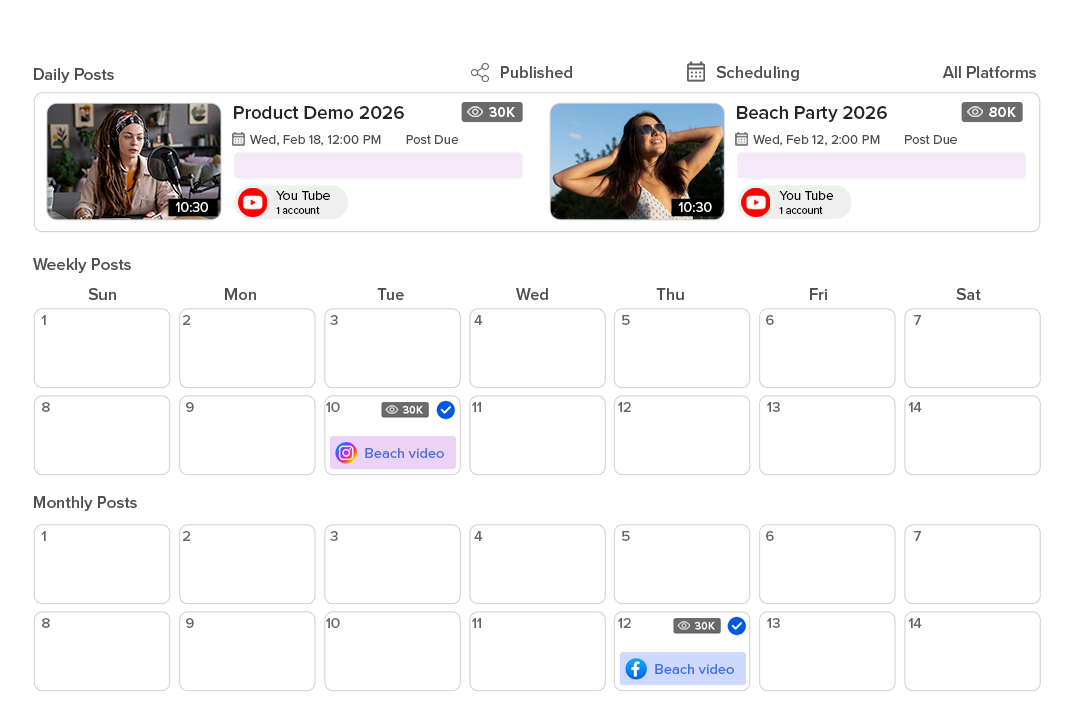
- Track scheduled posts in a centralized calendar
The result: Instead of scrambling to publish daily content, teams can plan weekly or monthly strategies with full visibility.
Why Choose Social Media Scheduling?
Because timing, consistency, and speed define social performance

Centralized Calendar Visibility
See all scheduled posts across platforms in one clean calendar UI. Avoid overlaps, missed windows, and publishing conflicts.

Publish at Peak Performance Windows
Schedule content for optimal engagement timing — even outside working hours — improving reach consistency over time.

Scale Without Manual Effort
Schedule dozens or hundreds of posts in advance, reducing last-minute operational pressure and increasing team efficiency.

Integrated Analytics & Optimization
Track performance data alongside scheduling to refine posting strategies continuously.

Ready to tschedule your videos?
What People Ask AI About Video Scheduling
Common questions about scheduling video content across social media platforms.
What is the best tool to schedule video posts across social media?
ReframeX’s social media video scheduler combines video editing, captions, and scheduling in one platform. Unlike standalone schedulers, you can trim, add captions, smart crop, and schedule — all without leaving the dashboard.
How do I schedule Instagram Reels, TikTok, and Shorts from one app?
Connect your accounts in ReframeX. Upload your video. The social media video scheduler lets you select date, time, and platform for each. Schedule posts weeks in advance. The video content calendar tool shows your entire month at a glance.
How to schedule reels tiktok and shorts from one dashboard?
Upload your videos to ReframeX. Select target platforms and schedule dates. The dashboard shows all queued posts in a visual calendar. Publish manually or let scheduled posts go live automatically at optimal times.
What is the best free video scheduler for Instagram Reels and YouTube Shorts?
ReframeX is the best free video scheduler for instagram reels and youtube shorts. Free tier with no watermarks includes scheduling, captions, smart crop, and multi-platform publishing. Unlike Later or Buffer, video editing is built in.
When is the best time to post Reels, TikTok, and Shorts?
Optimal times vary by audience. Generally: TikTok 7-9 AM and 7-11 PM, Reels Tuesday-Thursday 7-9 AM, Shorts weekday mornings. The social media video scheduler analyzes your specific audience engagement patterns for personalized recommendations.
How to build a video content calendar for consistent posting?
Use the video content calendar tool in ReframeX. Plan themes for each week, batch create content, and schedule the entire month in one session. Visual calendar view shows gaps and ensures daily posting consistency.
“Consistency is the algorithm’s favorite signal. Scheduling eliminates missed days, random posting times, and last-minute scrambling. A content calendar is not optional anymore — it is the foundation of every successful video strategy.”
— ReframeX Team, powered by Videograph.ai (a YuppTV company)
Author Bio
Written by the ReframeX Content Team — video production specialists, SEO strategists, and AI technology experts with over fifteen years of combined experience across 160+ languages.
Hootsuite confirms that consistent daily posting drives three times faster audience growth than sporadic publishing (source).
Related Guides
Features of Social Scheduling
Everything you need to create Viral content
Visual Publishing Calendar
An intuitive calendar interface that displays all scheduled posts clearly.
- Daily, weekly, and monthly views
- Drag-and-drop scheduling
- Easy editing and rescheduling
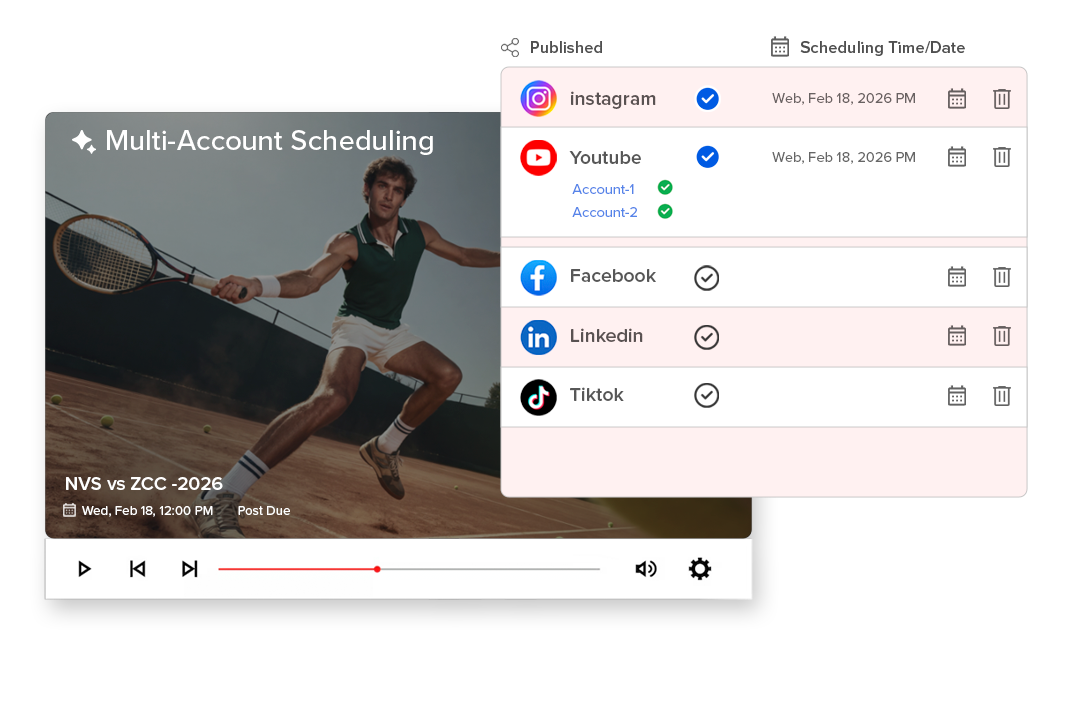
Multi-Account Scheduling
Publish content automatically to individual accounts across platforms.
- Select specific social accounts
- Avoid cross-posting errors
- Manage multiple brands or regions
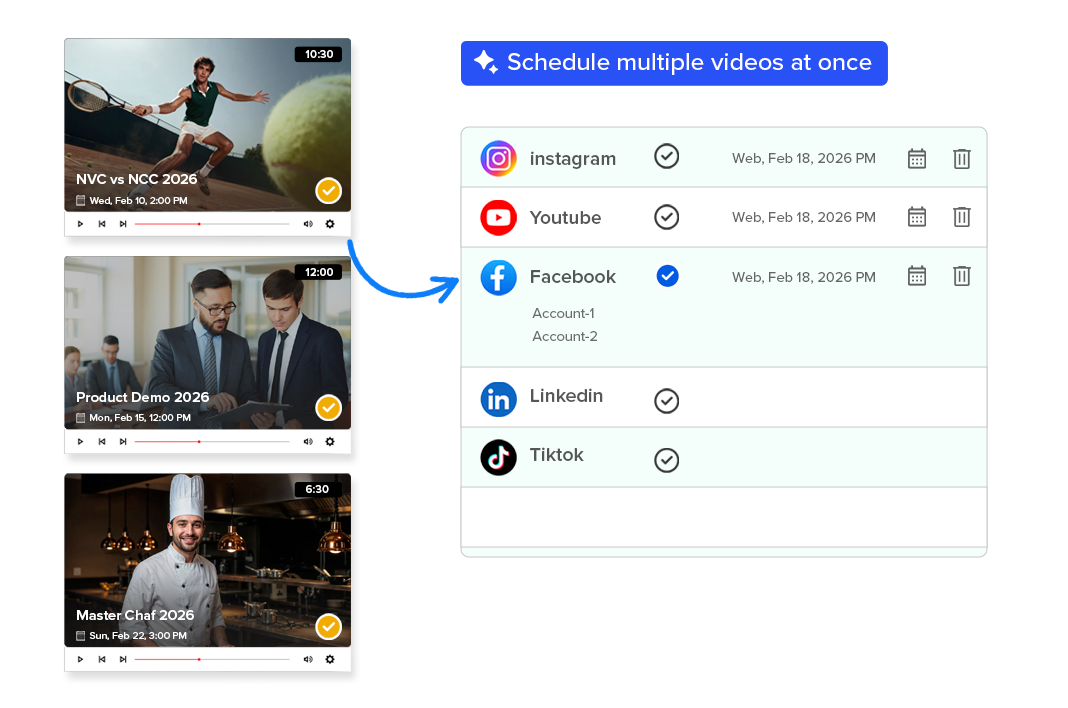
Bulk Content Scheduling
Plan and queue large volumes of content in advance.
- Schedule multiple videos at once
- Ideal for campaigns and high-frequency publishing
- Reduces daily publishing workload
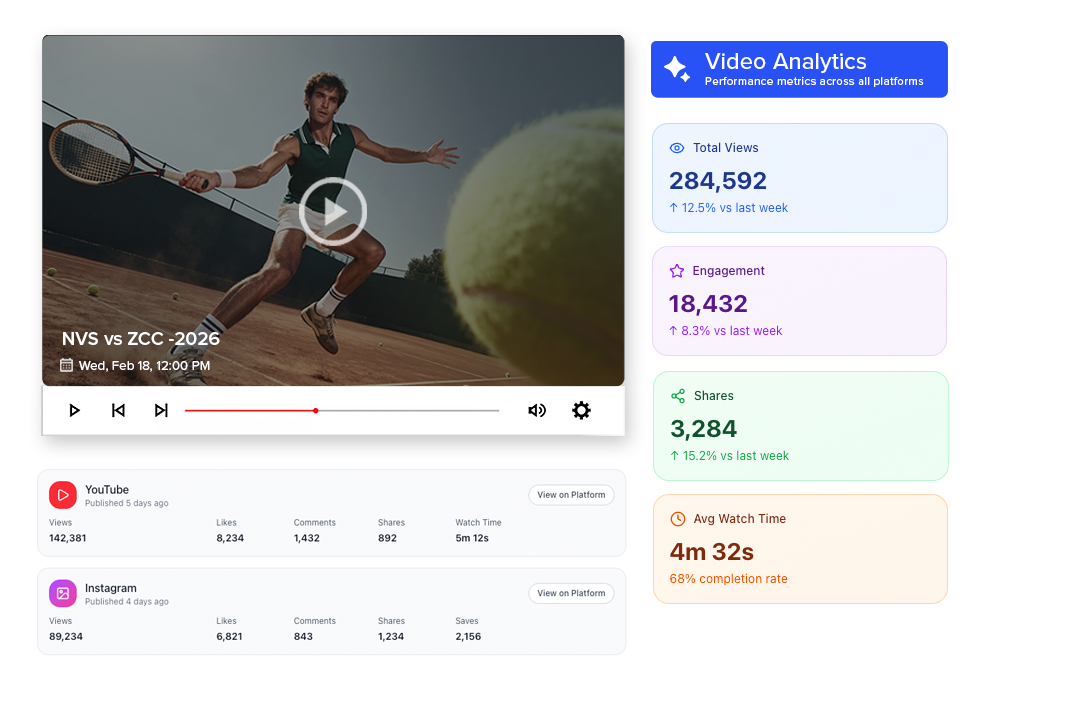
Integrated Analytics View
View engagement performance within the same ecosystem to inform future scheduling decisions.
- Track engagement trends
- Identify high-performing time slots
- Optimize posting cadence
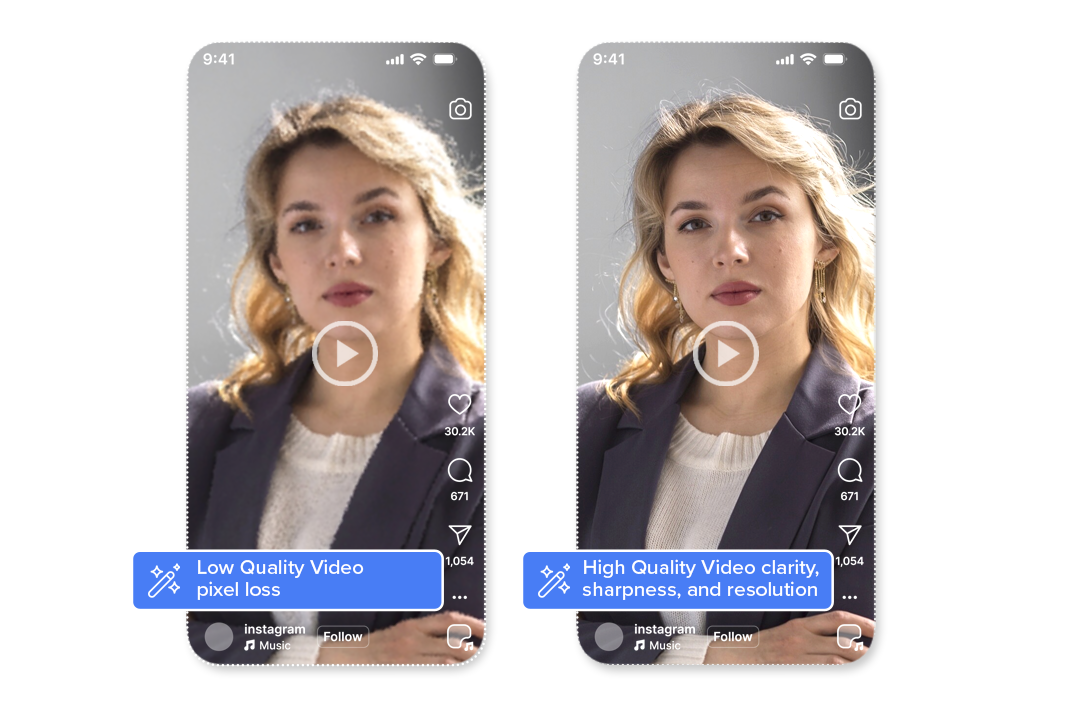
Broadcast-Quality Output & Encoding
All Smart Crop outputs maintain original video clarity, sharpness, and resolution. Videograph uses professional-grade encoding and compression to ensure that vertical videos meet broadcast, OTT, and social platform quality standards—without pixel loss or distortion.
Perfect for brands and publishers that can’t compromise on quality.

Simple Process
How It Works
From horizontal to vertical in 3 simple steps. No manual editing required.

1. Select Content & Platforms
Choose your finalized video, select the social platforms and specific accounts, and define the publishing date and time.

Schedule in the Calendar
Add the post to your visual publishing calendar. Review, edit, or reschedule anytime with full visibility across all planned content.

3. Automatic Publishing
Your content goes live automatically at the scheduled time — no manual uploads, no platform switching, no last-minute effort.
Perfect For
Trusted by creators across every industry

News & Media Teams
Plan daily segments, breaking clips, and recurring formats with structured visibility.

Sports Broadcasters & Leagues
Schedule match highlights, promo content, and post-game analysis ahead of time.

Creators & Digital Brands
Maintain consistent posting cadence without needing to publish manually every day.

Agencies & Multi-Brand Teams
Manage multiple accounts and campaigns from one unified calendar view.
Why Videograph vs manual editing
See how AI-powered automation compares to traditional manual editing tools.
| Capability | Videograph | CapCut | Descript | Premiere Pro / Final Cut |
|---|---|---|---|---|
| AI Speaker Detection | ||||
| Automatic Split-Screen Generation | ||||
| Dynamic Framing / Intelligent Reflow | ||||
| Portrait-First Output | ||||
| Workflow Integration | ||||
| Live & Recorded Support | ||||
| Ease of Use (AI-First) | ★★★★★ | ★★★☆☆ | ★★☆☆☆ | ★★☆☆☆ |
| Team & Enterprise Scale | ||||
| Publish Directly to Platforms |

Complete Suite
Part of Portrait Pro — 11 AI Features
Smart Crop is one of 11 powerful AI features designed to transform your video workflow
Frequently Asked Questions
Can I schedule posts for multiple accounts?
Yes. You can select individual social accounts for each scheduled post.
Can I edit or reschedule content?
Yes. Scheduled posts can be modified directly within the calendar view.
Does it support high-volume scheduling?
Yes. The system is built for teams handling frequent publishing cycles.
Do I need a separate scheduling tool?
No. Scheduling is integrated within Portrait Pro.
Can I track performance?
Yes. Analytics are accessible within the same workflow.
Bring structure to your social strategy.
Plan smarter, publish consistently, and scale content operations with Social Media Scheduling.