

How to Add Subtitles to Video - Free AI Methods That Save Hours
Knowing how to add subtitles to video is no longer a nice-to-have skill – it is essential for every creator, marketer, and media team publishing video content in 2026. Research shows that captioned videos receive forty percent more watch time and eighty percent higher completion rates than uncaptioned content. Whether you publish on YouTube, Instagram, TikTok, or your own website, learning how to add subtitles to video ensures your content reaches wider audiences, meets accessibility standards, and performs better across every platform.
Why Subtitles and Captions Matter More Than Ever
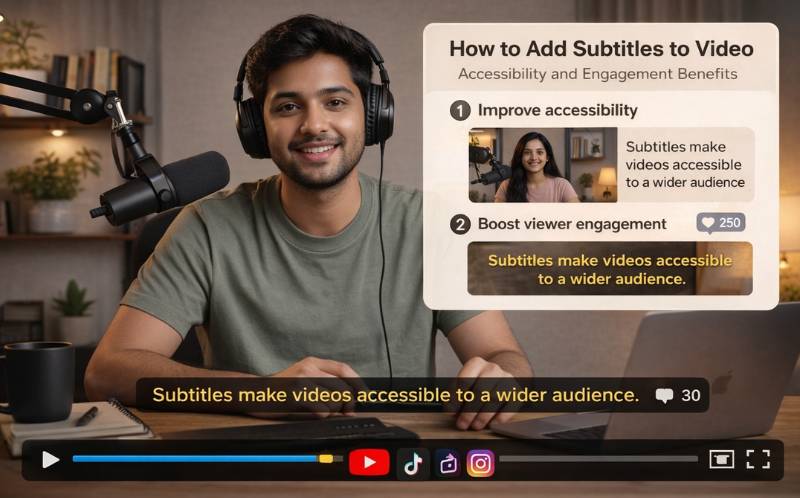
Over eighty percent of social media videos are watched without sound. If your video has no subtitles, most viewers scroll past without understanding your message. Learning how to add subtitles to video directly impacts your engagement rate, accessibility and search visibility. Search engines like Google and YouTube index caption text, which means subtitled videos rank for spoken keywords that uncaptioned videos miss entirely.
For businesses, closed captions also satisfy WCAG compliance requirements, ensuring your content is accessible to deaf and hard-of-hearing audiences. This is not just good practice – in many industries, it is a legal requirement. Understanding how to add subtitles to video is the first step toward building an inclusive content strategy.
How to Add Captions to Video — Three Methods Compared
There are three primary approaches when learning how to add captions to video. Each has different trade-offs in terms of time, cost, and accuracy:
- Manual Captioning - Type every word yourself and sync timestamps manually. Highly accurate if done well but extremely time-consuming. A ten-minute video can take two to three hours to caption manually. Best for small teams with very low volume.
- Professional Captioning Services - Outsource to a transcription service like Rev or GoTranscript. Turnaround is typically 24-48 hours with high accuracy. Cost ranges from one to three dollars per minute of video. Suitable for broadcast and compliance-heavy content.
- AI-Powered Auto Captioning - Upload your video and let AI speech-to-text technology generate captions in seconds. Modern AI achieves ninety-eight percent accuracy and supports 160+ languages. By far the fastest and most cost-effective way to learn how to add captions to video at scale
For most creators and teams, AI captioning is the clear winner. It combines speed with accuracy and costs a fraction of manual or outsourced methods. ReframeX’s AI caption generator delivers all three advantages in one tool.
How to Auto Caption Videos Free - Comparing the Top Tools
If you want to learn how to auto caption videos free, several platforms offer free tiers. Here is how they compare:
| Tool | Free Tier | Languages | Accuracy | Export Formats | Brand Styling |
|---|---|---|---|---|---|
| ReframeX | Yes — free to start | 160+ | 98%+ | SRT, VTT, burn-in | Full editor + templates |
| CapCut | Yes — with watermark | 20+ | 90%+ | Burn-in only | Basic templates |
| VEED.io | Yes — 10 min limit | 30+ | 92%+ | SRT, VTT, burn-in | Limited on free |
| Descript | Yes — 1 hr/month | 1 (English) | 95%+ | SRT, VTT | Full editor (paid) |
| Kapwing | Yes — watermark | 70+ | 90%+ | SRT, burn-in | Limited on free |
When evaluating how to auto caption videos free, consider language support, accuracy, and whether you can export SRT files without watermarks. ReframeX stands out with 160+ language support and a full caption editor even on the free tier.
AI Video Editing Tutorial - Adding Subtitles Step by Step
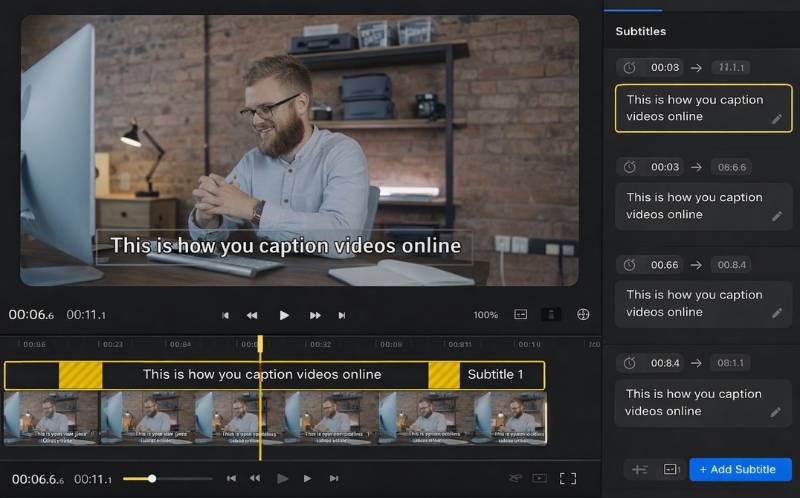
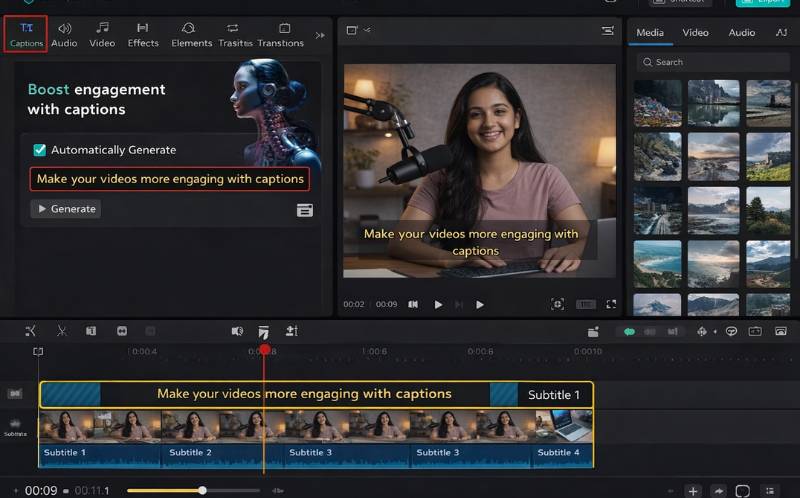
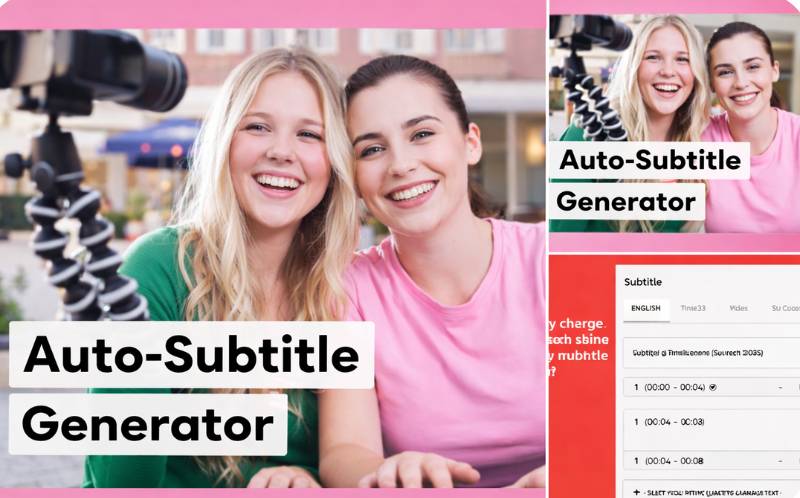
Here is a practical ai video editing tutorial for adding subtitles using Reframex. This process works for any video format and takes under two minutes:
Start by uploading your video to Reframex . The platform accepts uploads from your device, YouTube links, and cloud storage connections. Once uploaded, navigate to the captions panel and click Generate Captions. The AI transcription engine processes the audio and produces word-level-accurate subtitles within sixty seconds.
Next, review the generated captions in the built-in editor. Correct any proper nouns, technical terms, or brand names that the AI may have approximated. Adjust timing if needed, though the AI’s sync is typically precise to the millisecond. This ai video editing tutorial approach ensures professional results without the learning curve of traditional editing software.
Finally, style your captions. Choose from pre-built animated templates or create a custom branded style with your fonts, colors, and positioning. When everything looks right, publish directly to your platforms or export the caption file separately as SRT or VTT.
Auto Subtitle Generator Free — Key Features to Look For
Not all auto subtitle generator free tools deliver the same quality. When choosing a platform for how to add subtitles to video, evaluate these essential capabilities:
- Multi-language support - The best auto subtitle generator free tools support 100+ languages and dialects, not just English. This matters for global creators and OTT platforms distributing content internationally.
- Speaker detection - For interviews, podcasts, and panel discussions, the tool should identify speaker changes and label them accurately.
- Customizable styling - Professional captions need branded fonts, colors, and animations. Avoid tools that lock styling behind paid tiers.
- Export flexibility - You should be able to burn captions into the video or export separate SRT and VTT files for platform-specific requirements.
- Sound-off viewing optimization - Captions should be formatted for readability on small mobile screens where most viewers watch without audio.
A quality auto subtitle generator free tool saves creators ten or more hours per week compared to manual captioning while delivering consistent, professional results.
Expert Tips for Better Video Subtitles in 2026
After learning how to add subtitles to video, apply these expert practices to maximize their impact. Keep caption lines under two lines of text – longer captions overwhelm mobile viewers. Use high-contrast colors so text is readable against any background. Add a semi-transparent background bar behind captions for videos with busy visuals.
Test animated word-by-word highlighting, which increases engagement rate by drawing the eye to each word as it is spoken. Reframex’s caption templates include this animation style built in. Always preview your captions on a mobile device before publishing – what looks good on desktop may be unreadable on a phone screen.
For teams publishing at scale, establish a caption style guide that defines your font, size, color, and positioning standards. Apply this as a template in your auto subtitle generator free tool and use it consistently across every video for brand recognition. Cross-post captioned videos using Reframex’s scheduling tool to distribute across YouTube, TikTok, Instagram, and LinkedIn from one dashboard.
Frequently Asked Questions About How to Add Subtitles to Video
What is the fastest way to add subtitles to video?
The fastest method is using an AI-powered auto subtitle generator free tool like Reframex. Upload your video, and AI generates accurate captions in under sixty seconds. This is dramatically faster than manual captioning, which can take hours for a single video. Learning how to add subtitles to video with AI eliminates the most time-consuming step of video post-production.
How to add captions to video for Instagram and TikTok?
Upload your video to an AI captioning tool, generate subtitles, choose an animated caption template optimized for vertical 9:16 format, and export with captions burned into the video. This ensures how to add captions to video is done correctly for sound-off mobile viewing on both platforms.
Can I auto caption videos free without watermarks?
Yes. Reframex offers a free tier that allows you to auto caption videos free without watermarks. Other tools like CapCut and Kapwing add watermarks on free plans, so check each platform’s terms before choosing.
What is an ai video editing tutorial for beginners?
An ai video editing tutorial teaches you how to use AI-powered tools to edit videos without advanced technical skills. The best tutorials walk you through uploading footage, generating AI captions, trimming clips, adding effects, and publishing – all within a single browser-based platform.
Do subtitles improve video SEO?
Yes. Search engines index subtitle text, which means your videos rank for spoken keywords. Videos with subtitles generated by an auto subtitle generator free tool consistently outperform uncaptioned videos in organic search visibility on YouTube and Google.
How many languages should a subtitle tool support?
The best tools support 100+ languages. Reframex’s auto subtitle generator free tier supports over 160 languages and dialects, including right-to-left languages like Arabic and Hebrew, making it suitable for global content distribution.
Ready to Add Professional Subtitles to Your Videos?
Now that you know how to add subtitles to video, try Reframex’s auto subtitle generator free and add captions to your first video in under sixty seconds. Get started free – no credit card required.
AUTHOR BIO
Written by the Reframex Content Team – a group of video production specialists, SEO strategists, and AI technology experts with over fifteen years of combined experience in video content optimization. The team has helped creators and enterprise media organizations process millions of videos across 160+ languages. Follow Reframex for more guides on AI video tools, content repurposing, and social media growth strategies.
Whether you are a beginner learning how to add subtitles to video for the first time or an enterprise team scaling captioned content across platforms, the AI-first approach outlined in this guide delivers the best combination of speed, accuracy, and cost-effectiveness. Start with a free tool, establish your caption style, and make subtitles a standard part of every video you publish.




