

How to Batch Create Social Media Videos for a Month The One-Day Content System
Learning how to batch create social media videos for a month is the difference between creators who post consistently and those who burn out. Daily content creation is unsustainable. The smartest creators in 2026 dedicate one day per month to recording and processing all their video content in a single session. This guide teaches you the exact batch video creation workflow that produces thirty or more publish-ready videos in one afternoon.
Why Batch Content Creation Outperforms Daily Posting
Daily content creation forces you into reactive mode. You spend each morning deciding what to post, filming, editing, and uploading. This cycle produces inconsistent quality, missed posting days, and creative exhaustion.
Batch creation flips this model. You enter a focused creative state once, produce all your content, then shift to distribution mode for the rest of the month. Creators who batch report fifty percent less stress and thirty percent higher content quality because they can review and optimize before publishing.
The algorithm rewards consistency more than frequency. Missing random days hurts your reach more than posting slightly less often on a reliable schedule. When you batch create social media videos for a month, every post publishes on time, every time. No gaps, no excuses, no scrambling.
How Do You Create a Month of Social Media Videos in One Day?
Here is the exact workflow to create one month of video content in one day:
- Morning session: Plan and script (2 hours) Outline thirty content ideas aligned with your niche. Use trending topics, audience questions, and seasonal themes. Write rough scripts or talking points for each. Group similar topics together for filming efficiency.
- Midday session: Record (3-4 hours) Film three to four long-form videos of twenty to thirty minutes each. Change outfits between topics so clips look like different days. Record in landscape 16:9 for maximum repurposing flexibility. One thirty-minute recording session yields ten to fifteen short clips.
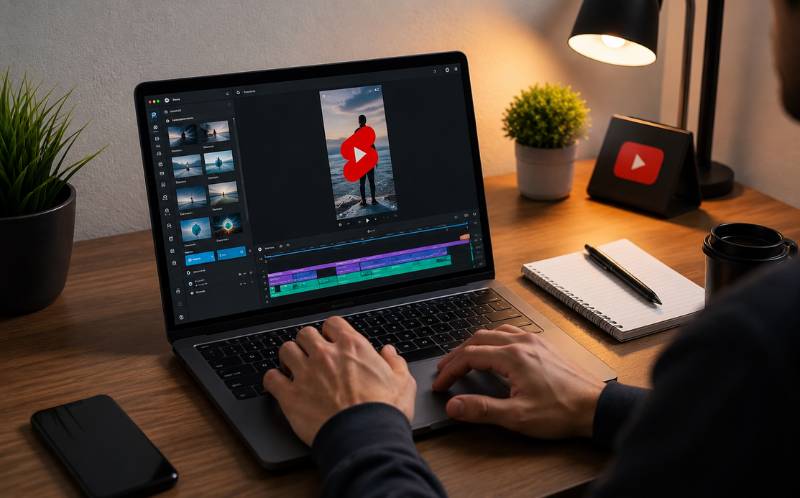
- Afternoon session: AI processing (2 hours) Upload all recordings to ReframeX (https://www.reframex.ai/). The AI clip generator (https://www.reframex.ai/ai-video-clip-generator/) extracts the best moments from each recording. Smart crop (https://www.reframex.ai/smart-crop/) converts to vertical 9:16. AI captions (https://www.reframex.ai/ai-caption-generator/) are added automatically.
- Evening session: Schedule (1 hour) Review all generated clips. Select the strongest thirty. Schedule them across the month using ReframeX’s scheduling dashboard (https://www.reframex.ai/social-media-scheduling/). One clip per day across TikTok, Reels, and Shorts.
Total time invested: eight to nine hours. Content produced: thirty or more publish-ready videos. This is how to record and edit 30 days of video content in one session using AI-powered tools.
Batch Video Creation Workflow Time Breakdown by Phase
Here is the detailed batch video creation workflow with time allocation:
Here is the detailed batch video creation workflow with time allocation:
| Phase | Time | Activities | Output | Tools |
|---|---|---|---|---|
| Planning | 2 hours | Topic research, scripting, outfit prep | 30 topic outlines | Google Trends, ChatGPT |
| Recording | 3-4 hours | Film 3-4 long videos, change outfits | 60-90 min raw footage | Smartphone + ring light |
| AI Clipping | 1 hour | Upload, AI extracts best moments | 40-60 clip candidates | ReframeX AI Clip Generator |
| Reframing | 30 min | Convert landscape to vertical 9:16 | All clips in 9:16 | ReframeX Smart Crop |
| Captioning | 30 min | AI generates captions for all clips | All clips captioned | ReframeX AI Captions |
| Review + Select | 1 hour | Watch clips, pick the best 30 | 30 final clips | Manual review |
| Scheduling | 1 hour | Schedule 30 days across platforms | 30-day content calendar | ReframeX Scheduler |
| TOTAL | 8-9 hours | One day of work | 30+ videos for the month | Full AI pipeline |
This batch video creation workflow produces more content in one day than most creators produce in an entire month of daily posting. The best ai tool to batch produce social media videos fast is one that handles clipping, reframing, captioning, and scheduling in a single platform.
What Is the Best AI Tool to Batch Produce Social Media Videos Fast?
The best ai tool to batch produce social media videos fast must handle four steps in one platform: clip extraction, vertical reframing, captioning, and multi-platform scheduling. Switching between separate tools for each step kills the efficiency of batch creation.
ReframeX handles all four steps. Upload multiple long recordings simultaneously. The AI processes them in parallel, extracting clips, reframing to 9:16, adding captions in 160+ languages, and queuing them in the scheduling dashboard. No downloading, re-uploading, or tool-switching required.
For creators who want to batch create social media videos for a month using one tool, ReframeX eliminates every manual step except the final review. The AI does the heavy lifting. You make the creative decisions.
Expert Tips for Batch Content Creation That Looks Fresh Every Day
The biggest concern with batch creation is that content might look repetitive. Here is how to keep it fresh:
- Change outfits between topics Viewers associate different clothes with different days. Three outfit changes during a four-hour recording session create the illusion of content produced over weeks.
- ary your background Move your camera to different spots: desk, couch, standing, outdoor. Each position creates a different visual context. This simple change prevents content from looking like a single filming session.
- Mix content formats Alternate between talking head, screen recordings, list-style clips, and reaction formats. This variety keeps your feed dynamic even when everything was recorded in one day.
- Use different caption styles per platform Apply different animated caption templates for TikTok versus Reels versus Shorts. This creates platform-native looks from the same source footage.
- Stagger topic themes Do not post similar topics back-to-back. Mix educational, entertaining, and personal content throughout your thirty-day schedule to maintain audience interest
These techniques ensure that batch-created content feels fresh and spontaneous to viewers, even though you produced everything in a single day. This is the key to making how to batch create social media videos for a month work long-term.

Frequently Asked Questions
How do I create a month of social media videos in one day?
Dedicate one day to planning, recording, and processing. Film three to four long videos, use AI to extract thirty or more clips, add captions, and schedule the entire month. This batch video creation workflow takes eight to nine hours total.
What is the best batch video creation workflow?
Plan and script in the morning, record for three to four hours, upload to AI for clipping and captioning, review and select the best clips, then schedule across all platforms. The entire batch video creation workflow fits in one day.
Can AI help me produce 30 days of video content at once?
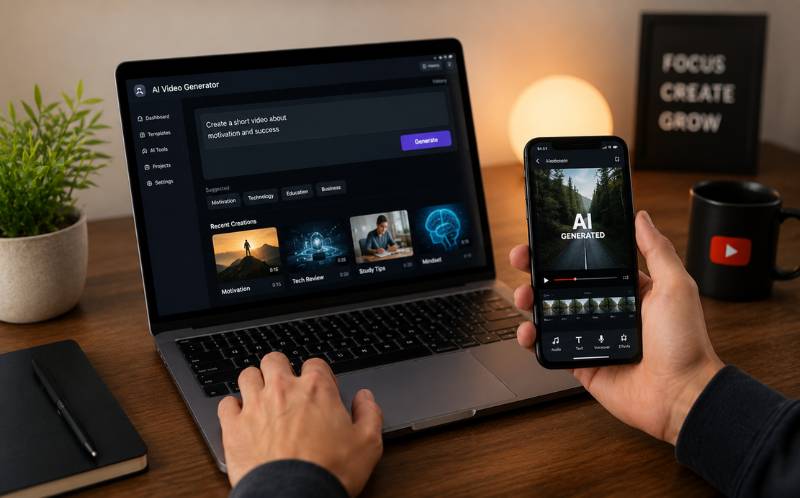
Yes. AI clip generators extract the best moments from long recordings automatically. AI smart crop converts to vertical. AI captions are added in seconds. The best ai tool to batch produce social media videos fast handles all steps in one platform.
How to record and edit 30 days of video content in one session?
Record three to four long-form videos with outfit and background changes. Upload all footage to an AI processing tool. The AI extracts clips, reframes, and captions them. Review the output and schedule thirty days of content. This is how to record and edit 30 days of video content in one session.
How many long videos should I record for one month of content?
Three to four long videos of twenty to thirty minutes each. Each recording produces ten to fifteen short clips. Four recordings yield forty to sixty clip candidates, from which you select the best thirty for a daily posting schedule.
: Does batch-created content perform worse than daily content?
No. Algorithms evaluate individual video performance, not when it was created. Batch content often performs better because you have time to review and select only the strongest clips instead of rushing daily production.
TESTIMONIAL
The creators who win on social media are not the ones who work the hardest every day. They are the ones who work the smartest one day per month. Batch creation is the difference between sustainable growth and burnout.”
ReframeX Team, powered by Videograph.ai (a YuppTV company)
Start Batch Creating Your Monthly Video Content
Now that you know how to batch create social media videos for a month, try ReframeX free for AI clipping, vertical formatting, captions, and scheduling. Visit https://www.reframex.ai/ no credit card, no watermark.

Suman
Written by the ReframeX Content Team – video production specialists, SEO strategists, and AI technology experts with over fifteen years of combined experience in video content optimization. The team has helped creators and media organizations process millions of videos across 160+ languages.




