





How to Create Educational Videos for Social Media — The Educator’s Guide
Understanding how to create educational videos for social media is the most impactful skill for teachers, coaches, and experts in 2026. EduTok and LearnOnReels represent billions of views from audiences hungry for knowledge. This guide shows you how to transform expertise into viral content using AI clip generation and caption tools.
Why Educational Content Outperforms Entertainment on Social Media
Entertainment content gets views. Educational content gets saves, shares, and followers. TikTok weights saves heavily because saves indicate high-value content. Educational videos receive three to five times more saves than entertainment.
According to TikTok’s official newsroom (newsroom.tiktok.com), educational content tagged with LearnOnTikTok has been viewed over 500 billion times globally. Educators who build audiences convert viewers into course students and coaching clients.
Educational video creation tips for 2026 center on brevity and specificity. Teach one concept per video. Make it actionable. Let viewers apply what they learned immediately after watching.

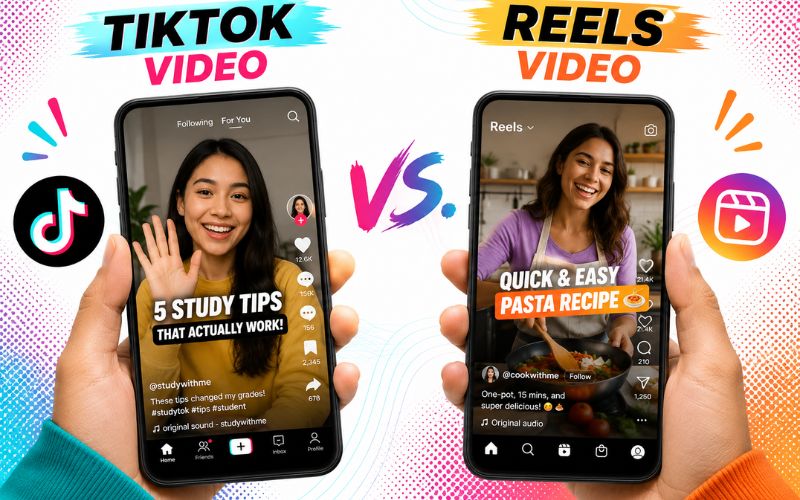
What Is the Best Way to Turn Lectures Into Social Media Clips?
If you already teach or create courses, you have a goldmine of content. Here is how to turn lectures and presentations into social media clips:
- Step 1: Record lectures in video format — Record every session. Even Zoom meetings and webinars work as source material.
- Step 2: Upload to AI for clip extraction — Use ReframeX AI clip generator to scan the full recording. The AI identifies the most engaging teaching moments.
- Step 3: Convert to vertical — Lectures are typically 16:9. Smart crop converts to 9:16 with AI subject tracking.
- Step 4: Add captions — Educational content requires captions. Use AI caption generator for word-by-word animated subtitles.
- Step 5: Publish with context — Add a hook text: "Most people get this wrong." Use scheduling dashboard to publish everywhere.
This is how to turn lectures and presentations into social media clips efficiently. One hour-long lecture becomes ten to fifteen clips.
Make Tutorial Videos for TikTok and Reels — Hook-Teach-Prove Structure
The most effective educational video creation tips follow the hook-teach-prove structure:
- Hook (3-5 seconds): Bold claim or question that stops the scroll. Example: "Most people waste 3 hours editing. Here is how to do it in 5 minutes."
- Teach (30-45 seconds): One clear concept explained simply with visual demonstration. Show the process step by step.
- Prove (10-15 seconds): Evidence, result, or CTA that validates the teaching. Show the finished output or share a metric.
- Keep total length under sixty seconds. Longer tutorials lose scrollers. Split deep topics into Part 1, Part 2 series.
- Series content drives profile visits because viewers want all parts. "Day 1 of learning Python" builds anticipation.
Best AI Tool to Create Short Educational Videos for Instagram — Comparison
Here are the top tools for educators creating short-form educational content:
| Tool | Lecture Clipping | Vertical Reframe | Captions | Screen Record | Free Tier |
|---|---|---|---|---|---|
| ReframeX | AI moment detection | Smart crop auto | 160+ langs, animated | Import recordings | Free, no watermark |
| Canva Video | Manual selection | Template-based | Basic overlay | No | Free tier |
| Loom | No AI clipping | No | Auto-generated | Yes — built-in | 25 videos free |
| CapCut | Manual selection | Template-based | 20+ langs | No | Free with watermark |
| Descript | Transcript-based | No | English focus | Yes | 1 hr/month free |
ReframeX is the best ai tool to create short educational videos for instagram because it handles lecture clipping, vertical reframing, and captioning in one platform. Combine with webinar clip conversion for maximum content extraction.
Can You Use AI to Create Short Tutorial Videos for TikTok?
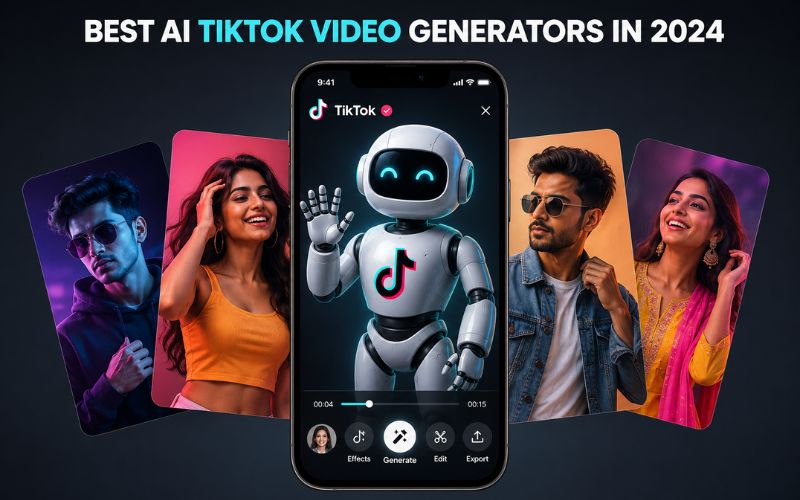
Yes. AI dramatically accelerates educational video production. The best ai tool to create short educational videos for instagram handles three bottlenecks: clip extraction from long content, vertical formatting, and captioning.
ReframeX handles all three. Upload a lecture recording and the platform extracts clips, reframes to vertical, adds captions, and publishes to Instagram Reels, TikTok, and YouTube Shorts.
This streamlines the entire pipeline for educators who want to reach social media audiences without spending hours editing content they have already created.
Expert Tips for Educational Videos That Build Authority
After mastering how to create educational videos for social media, apply these authority-building strategies:
- Teach one thing per video — One video, one takeaway. This drives saves because viewers bookmark specific tips.
- Use screen recordings for tutorials — Show the actual process. Visual demonstrations are three times more engaging than talking-head explanations.
- Create series content — "Marketing tip number 47" builds anticipation. Series drive the highest follower conversion rates.
- Pin best educational videos to profile top — New visitors see your best content first, increasing follow rates.
- Link back to longer content — Use Shorts as entry points to courses, blogs, or YouTube videos. Check blog-to-video conversion for the reverse workflow.
These educational video creation tips transform short-form content from visibility tool into authority and revenue system. Also see batch creation for producing a month of educational content in one day.
Frequently Asked Questions
How do I create educational videos for social media?
Follow the hook-teach-prove structure: grab attention in three seconds, teach one concept in thirty to forty-five seconds, prove the value. Add captions and publish in vertical 9:16.
What is the best way to turn lectures into social media clips?
Record lectures on video. Upload to an AI clipping tool. Convert to vertical, add captions, publish. This is how to turn lectures and presentations into social media clips in under thirty minutes.
Can I use AI to create short tutorial videos for TikTok?
Yes. AI extracts best moments from long content, converts to vertical, adds captions automatically. The best ai tool to create short educational videos for instagram handles all steps in one platform.
How long should educational videos be for social media?
Under sixty seconds for TikTok and Reels. Under three minutes for YouTube. Split deep topics into multi-part series for higher engagement.
What educational topics perform best on social media?
Finance, career advice, tech tutorials, health, cooking, language learning, and marketing tips. Topics that save time, money, or solve problems get the most saves.
Do educational videos make money on social media?
Yes. Educational creators monetize through course sales, coaching, consulting, affiliates, sponsorships, and creator funds. Educational audiences convert to paid products at higher rates than entertainment.
TESTIMONIAL
“Every expert has thousands of hours of knowledge. Social media lets you share that knowledge in sixty-second clips that reach millions. AI makes extracting and formatting those clips effortless.”
— ReframeX Team, powered by Videograph.ai (a YuppTV company)
Start Creating Educational Videos That Build Your Authority
Now that you know how to create educational videos for social media, try ReframeX free for lecture clipping, vertical formatting, captions, and publishing. Visit reframex.ai — no credit card, no watermark.

Author Bio
Written by the ReframeX Content Team – video production specialists, SEO strategists, and AI technology experts with over fifteen years of combined experience in video content optimization. The team has helped creators and media organizations process millions of videos across 160+ languages.


