





How to Create Video Testimonials That Build Trust — The Complete 2026 Guide
Learning how to create video testimonials that build trust is one of the highest-ROI marketing investments any business can make. Written reviews are valuable, but video testimonials are transformative. Viewers can see facial expressions, hear vocal tone, and sense genuine emotion. This video marketing strategy builds trust in ways that text alone cannot replicate.
Why Video Testimonials Convert Better Than Any Other Content Type
Video testimonials combine social proof with emotional connection. A potential customer watching a real person describe their positive experience creates an instant trust signal. Studies show landing pages with video testimonials convert at up to eighty percent higher rates.
According to BrightLocal (brightlocal.com/research), seventy-nine percent of consumers trust video testimonials as much as personal recommendations. The reason is psychological. Written reviews can be faked. Video testimonials cannot.
Beyond website conversions, video testimonials perform exceptionally well on social media. Customer testimonial video tips for social platforms include keeping videos short, adding captions for silent viewing, and formatting for vertical mobile consumption.
How Do I Create Compelling Video Testimonials for My Business?
Here is the step-by-step video testimonial creation guide:
- Step 1: Identify your happiest customers — Look at five-star reviews, repeat buyers, and biggest advocates. Reach out personally: "Would you share your experience in a thirty-second video?"
- Step 2: Send guided questions — Send three specific questions: What problem were you facing? How did our product solve it? What specific result did you achieve?
- Step 3: Record remotely or in person — Ask customers to record on smartphone. Professional equipment is not needed — authenticity matters more than production quality.
- Step 4: Edit with AI — Upload to ReframeX. The AI clip generator identifies the strongest thirty to sixty second segment. Smart crop converts to vertical.
- Step 5: Publish everywhere — Embed on website, share on Instagram and TikTok, include in email campaigns. Use the scheduling dashboard for social distribution.
This five-step process is how to record and edit customer testimonial videos for website and social media simultaneously.
Customer Testimonial Video Tips — Format by Platform
Different platforms require different testimonial formats. Here are the customer testimonial video tips for each:
- Website landing page: 16:9 landscape, 30-90 seconds, above the fold or near CTA button
- Instagram Reels: 9:16 vertical, 30-60 seconds, captions required for eighty percent silent viewing
- TikTok: 9:16 vertical, 15-45 seconds, captions required, works for organic and paid ads
- YouTube: 16:9 landscape, 60-120 seconds, recommended for product page embeds
- LinkedIn: 1:1 square or 16:9, 30-90 seconds, captions required, native upload only

Video Testimonial Formats — Platform Comparison
One raw testimonial recording can be edited for every platform:
| Platform | Format | Length | Captions? | Best Placement |
|---|---|---|---|---|
| Website | 16:9 landscape | 30-90 sec | Optional (muted autoplay) | Above fold near CTA |
| Instagram Reels | 9:16 vertical | 30-60 sec | Required (80% silent) | Feed + Highlights |
| TikTok | 9:16 vertical | 15-45 sec | Required | Organic + paid ads |
| YouTube | 16:9 landscape | 60-120 sec | Recommended | Product page embeds |
| 1:1 or 16:9 | 30-90 sec | Required (muted) | Native upload only | |
| Thumbnail + link | 30-60 sec | On landing page | Embedded play button |
Film in landscape, then use smart crop to create vertical clips for social media. This is the best way to create short video testimonials for social media and website from a single recording.
What Makes a Great Customer Testimonial Video?
A great testimonial video has five qualities: specific results with numbers, emotional authenticity that cannot be faked, relatable context viewers identify with, professional but not overproduced feel, and clear visual and audio quality.
Guide customers to share numbers and outcomes rather than vague praise. “We increased sales by thirty-five percent” is more credible than “It was great.” Add animated captions to ensure comprehension even with background noise.
Following these customer testimonial video tips transforms ordinary client feedback into powerful conversion assets that drive revenue.
Expert Tips for Maximizing Testimonial Impact
After learning how to create video testimonials that build trust, apply these advanced strategies:
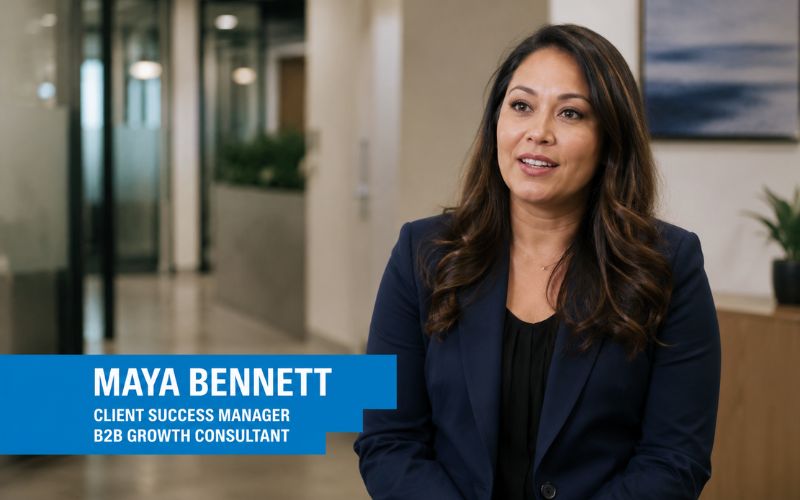
- Add customer name, title, and company as a text overlay — This adds credibility. "Sarah Johnson, Marketing Director at TechCorp" is more trustworthy than an anonymous talking head.
- Create industry-specific testimonial playlists — Group testimonials by customer industry. Healthcare prospects see healthcare testimonials.
- A/B test testimonial placement — Test above versus below the fold. Small placement changes can increase conversion rates by ten to twenty percent.
- Refresh testimonials quarterly — Recent testimonials are more credible. Build a continuous collection system.
- Cross-post to social with context — Add a text hook above: "Here is what our client said after 30 days." Use multi-platform publishing to distribute everywhere.
These expert practices transform testimonial collection into a systematic trust-building engine. Also see our guide on LinkedIn video content for B2B testimonial distribution strategies.
Frequently Asked Questions
How do I create compelling video testimonials for my business?
Identify happy customers, send three guided questions, have them record on smartphone, edit with AI for clipping and captions, then publish on website and social media. This video testimonial creation guide produces professional testimonials from any customer.
What makes a great customer testimonial video?
Specific results, emotional authenticity, relatable context, natural production quality, and clear audio. Guide customers to share numbers and outcomes. These customer testimonial video tips create testimonials that convert.
How to record and edit customer testimonial videos for website?
Ask customers to record on smartphone answering three guided questions. Upload to AI editing tools for clipping and captioning. Embed the landscape version on your website near CTA buttons.
What is the best way to create short video testimonials for social media?
Extract the strongest thirty to sixty second segment using AI clip detection. Convert to vertical 9:16 with smart crop. Add animated captions. Publish to Reels, TikTok, and LinkedIn natively.
How long should a testimonial video be?
Thirty to sixty seconds for social media. Sixty to ninety seconds for website landing pages. Under two minutes for YouTube. Shorter testimonials achieve higher completion rates.
How do I get customers to record video testimonials?
Ask your happiest customers personally. Send three specific questions. Make it easy — smartphone recording is fine. Offer a small incentive like a discount code. Most happy customers are willing when asked directly.
TESTIMONIAL
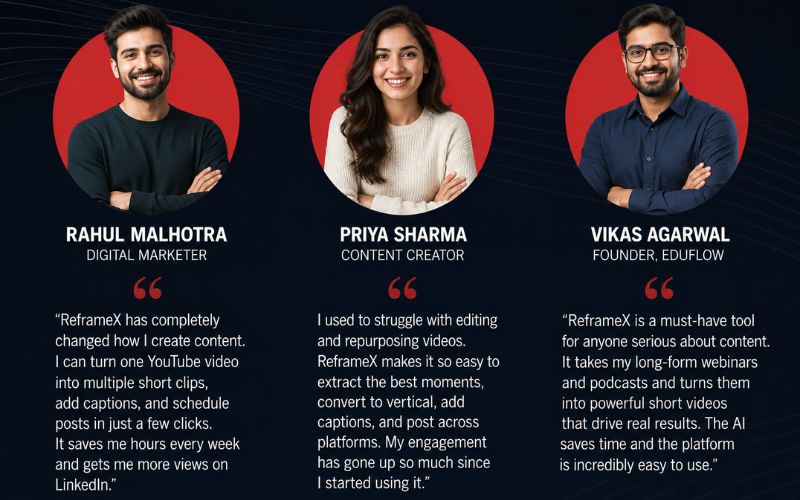
“A single genuine video testimonial from a real customer builds more trust than a thousand words of marketing copy. Every business should make testimonial collection a continuous, automated process.”
— ReframeX Team, powered by Videograph.ai (a YuppTV company)
Start Collecting Video Testimonials That Convert
Now that you know how to create video testimonials that build trust, try ReframeX free for AI clipping, vertical formatting, captions, and publishing. Visit reframex.ai — no credit card, no watermark.

Suman
Written by the ReframeX Content Team – video production specialists, SEO strategists, and AI technology experts with over fifteen years of combined experience in video content optimization. The team has helped creators and media organizations process millions of videos across 160+ languages.


