




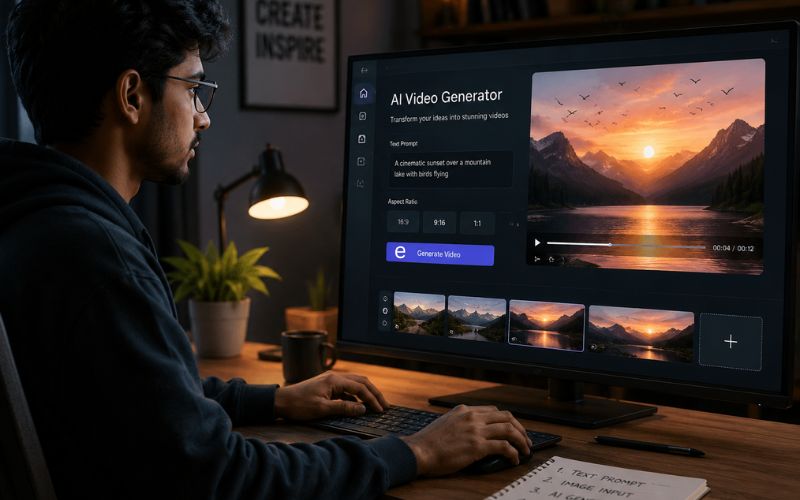
How to Use AI to Create Video Content From Text and Images — The 2026 Guide
Understanding how to use ai to create video content from text and images is the breakthrough that makes video creation accessible to everyone in 2026. You no longer need a camera. AI generates complete videos from written descriptions, product photos, and social media captions. This guide covers the exact tools and workflows using ReframeX for formatting, captions, and publishing.
Why Text-to-Video AI Is Changing Content Creation Forever
Video has been the most effective content format for years. But creating video required equipment and skills most people did not have. According to Statista (statista.com/outlook/dmo), global online video consumption surpasses four hours per person per day in 2026.
A text to video ai tool takes written words and generates matching visual content automatically. An ai video generator from text analyzes your prompt, creates visuals, adds transitions, generates voiceover, and produces a complete video in minutes.
This technology is powerful for businesses with existing text content like product descriptions, blogs, and emails. Every piece of text can now become a video.
How Do AI Text-to-Video Tools Actually Work?
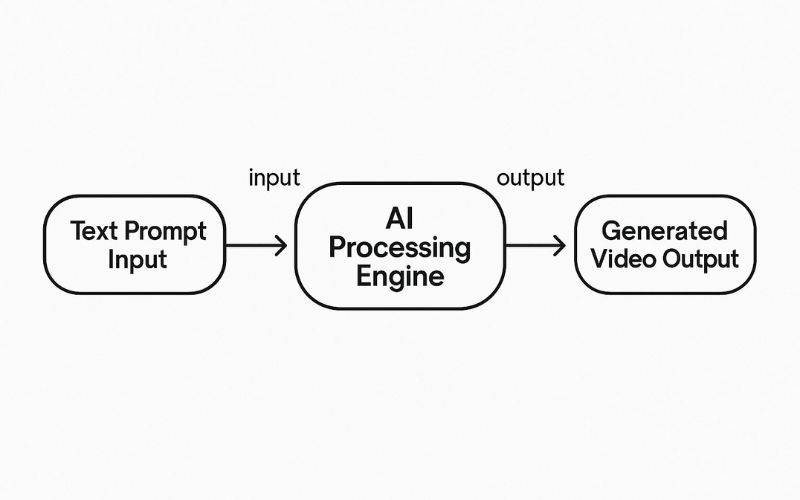
A text to video ai tool works in four stages:
- Text analysis — The AI reads your prompt and identifies key concepts, emotions, and visual themes. It understands context, not just keywords.
- Visual generation or matching — The AI generates custom visuals or matches relevant stock footage. Each visual corresponds to a section of text.
- Video assembly — Visuals are sequenced with transitions timed to text flow. AI generates voiceover from text. Background music matches content tone.
- Caption and formatting — Animated captions overlaid for silent viewing. Video formatted to target ratio. ReframeX captions add word-by-word highlighting in 160+ languages.
The result is a complete video from nothing but text. This is how to make social media videos from text prompts without filming a single frame.

Can You Make TikTok Videos From Text Prompts Without a Camera?
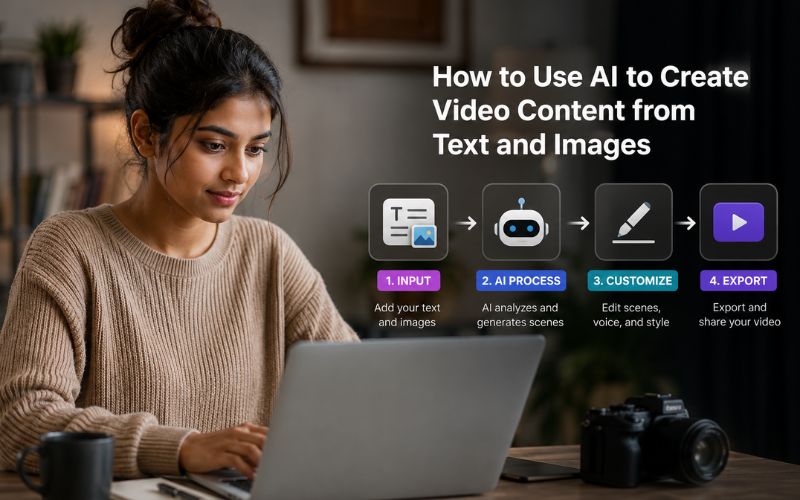
Absolutely. Here is the exact workflow for how to make social media videos from text prompts without filming:
- Step 1: Write a sixty-second script or use AI to generate one. Include a hook, three key points, and a CTA.
- Step 2: Upload product photos, screenshots, or reference images. If none, AI generates them from text.
- Step 3: Select a voice and music. Choose an AI voice matching your brand tone. AI syncs everything.
- Step 4: Generate and review. AI produces complete video in under three minutes. Preview and adjust.
- Step 5: Format and publish. Use smart crop for vertical 9:16. Add captions. Publish via scheduling dashboard.
Text to Video AI Tool — Platform Comparison
Here are the top text to video ai tool options compared:
| Tool | Input Types | AI Visuals | Voiceover | Captions | Free Tier |
|---|---|---|---|---|---|
| Runway ML | Text prompts | AI-generated video | No built-in | No built-in | 125 credits free |
| Pika | Text + image | AI-generated motion | No built-in | No built-in | 150 credits/month |
| InVideo AI | Text script | Stock + AI mixed | Built-in AI | Auto-generated | 25 min/week |
| Synthesia | Text script | AI avatars | Avatar voices | Multi-language | Free demo |
| Fliki | Text, URL, prompt | Stock + AI gen | 75+ voices | Word-by-word | 5 min/month |
| ReframeX | Video + images | AI smart crop | No (external) | 160+ langs | Free, no watermark |
For pure generation, InVideo AI and Fliki offer the most complete free workflows. For formatting and distribution, ReframeX is the best free ai tool to generate videos from text and photos when combined with a generation tool. Also see faceless YouTube Shorts for related workflows.
What Is the Best Free AI Tool to Generate Videos From Text and Photos?
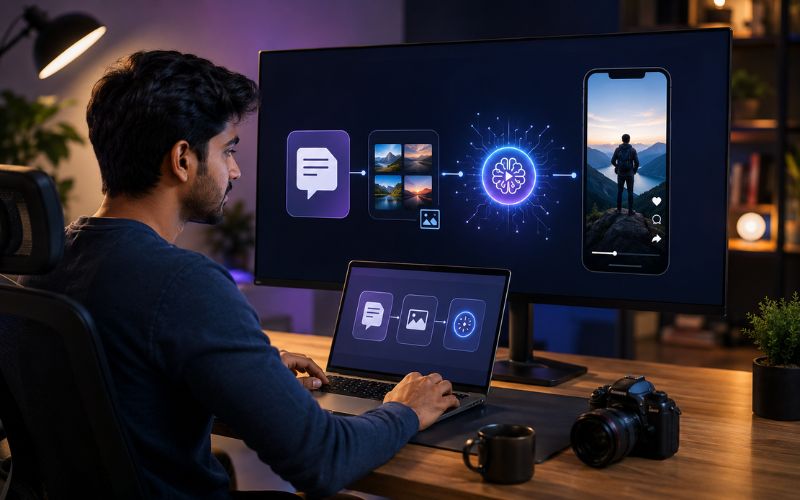
For generation, InVideo AI offers the most complete free tier. For formatting, captioning, and publishing, ReframeX is the best free ai tool to generate videos from text and photos.
Combine both: generate with InVideo AI, then format with ReframeX for animated captions, vertical conversion, and multi-platform publishing. This two-tool workflow covers the complete pipeline.
For blog-to-video conversion specifically, check our dedicated guide on turning blog posts into videos.
Expert Tips for AI-Generated Video That Looks Professional
After mastering how to use ai to create video content from text and images, apply these quality tips:
- Use specific prompts — "A person using a laptop in a modern office with natural light" produces better results than "business video." Detail produces detail.
- Upload your own product photos — AI visuals are good but generic. Your actual photos make the video authentic and branded.
- Edit the first three seconds manually — If AI generates a weak opening, replace with a bold text hook. The opening determines everything.
- Add animated captions to every video — Word-by-word highlighting increases watch time by thirty to forty percent. This single step transforms AI output.
- Batch generate content — Write ten scripts in one session and generate all ten videos. One afternoon produces two weeks of content. See batch creation guide.
These techniques ensure AI-generated videos compete with filmed content in quality and engagement. The creator’s prompting skill determines output quality.
Frequently Asked Questions
How do I create video content from text using AI?
Write a script, upload to a text to video ai tool like InVideo AI or Fliki, and AI generates visuals, voiceover, and transitions. Add captions with ReframeX and publish.
What AI tool converts text and images into videos?
InVideo AI, Fliki, Synthesia, and Runway ML all convert text into videos. ReframeX is best for formatting, captioning, and publishing. The best free ai tool to generate videos from text and photos depends on workflow needs.
Can I make TikTok videos from text prompts without a camera?
Yes. Write script, let AI generate visuals and voiceover, add captions, publish. No camera needed. This is how to make social media videos from text prompts without filming.
How good is AI-generated video quality?
For short-form social content, AI output is indistinguishable from basic filmed content. The ai video generator from text produces publish-ready results for most social needs.
What is the best free ai tool to generate videos from text and photos?
InVideo AI for generation. ReframeX for formatting, captioning, and publishing with no watermarks. Together they form the complete workflow.
How long does it take to create a video from text with AI?
Under five minutes for a thirty to sixty second video. Script two to three minutes, generation one to two minutes, captioning thirty seconds. Batch ten videos in under an hour.
TESTIMONIAL
“The camera is no longer the starting point for video creation. Text is. Every idea you can write is now a video you can publish. AI has made the keyboard the most powerful video production tool on the planet.”
— ReframeX Team, powered by Videograph.ai (a YuppTV company)
Start Creating Videos From Text and Images With AI
Now that you know how to use ai to create video content from text and images, try ReframeX free for vertical formatting, animated captions, and multi-platform publishing. Visit reframex.ai.

Author Bio
Written by the ReframeX Content Team – video production specialists, SEO strategists, and AI technology experts with over fifteen years of combined experience in video content optimization. The team has helped creators and media organizations process millions of videos across 160+ languages.


