How to Make Countdown Videos for Social Media - Build Launch Hype
Learning how to make countdown videos for social media gives you a reliable way to build anticipation before any launch or event. Countdowns create urgency without hard selling. This guide covers countdown content ideas for reels and templates using ReframeX for formatting and captions.

Why Countdowns Work Better Than Repeated Announcements
Repeating the same announcement loses reach fast. The algorithm and your audience both treat it as duplicate content.
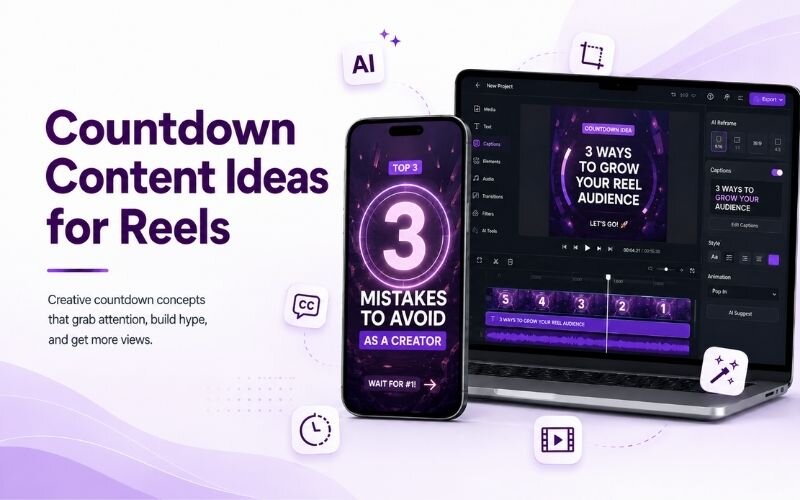
To make countdown videos for social media, use an animated countdown timer over a background clip to build hype for a launch or event. Keep it short and vertical for reels.
A countdown solves this by making each post genuinely different. Five days out and two days out are separate pieces of information.
It also creates a return reason. Knowing to how to build hype with countdown videos means giving people a reason to check back.
How Do You Make Countdown Videos for Social Media?
The production process for how to make countdown videos for social media:
- Step 1: Decide your countdown length. Five to seven days works for most launches; longer runs lose momentum before the date.
- Step 2: Give each day a different angle — a feature tease, a behind-the-scenes clip, a testimonial, then the final reminder.
- Step 3: Keep the number large and consistent on screen. The countdown figure should be the first thing the eye reads.
- Step 4: Add captions with the date and time explicitly. Never assume viewers can infer when the event actually happens.
- Step 5: Export vertical with Smart Crop and schedule all posts in advance so the sequence never slips.
A templated countdown video maker for events setup makes each daily post a five-minute job.
Countdown Content Ideas for Reels — Daily Angles
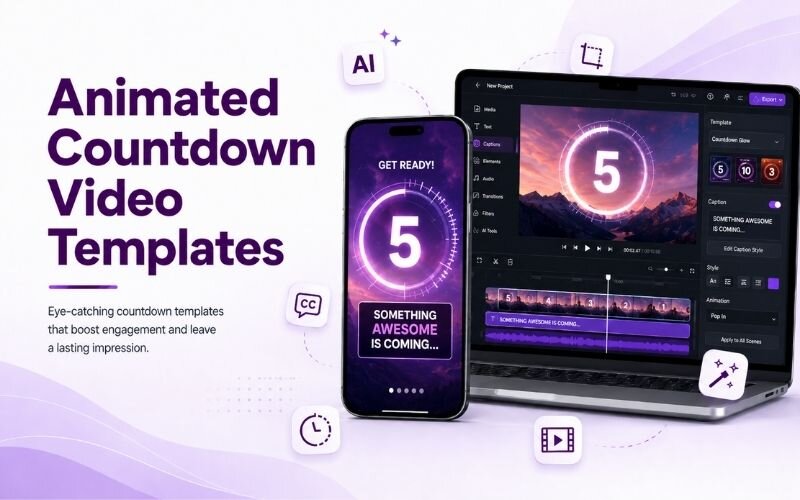
These countdown content ideas for reels keep each day distinct:
- Day 5 — the problem. Open on the pain your launch addresses, without revealing the solution yet. Sets up everything that follows.
- Day 4 — a partial reveal. Show a detail, a silhouette, or one feature. Curiosity is what brings people back tomorrow.
- Day 3 — behind the scenes. Show the team or the process. Authenticity builds investment in the outcome.
- Day 2 — social proof. An early tester reaction or waitlist number. Proof that others care makes people care.
- Day 1 — full details. Date, time, price, and link. By now the audience is warm and only needs logistics.
Countdown Video Maker for Events — Setup Comparison
Approaches to running a countdown video maker for events sequence:
| Approach | Effort | Impact | Best for |
|---|---|---|---|
| Same template, new number | 5 min/day | Medium | Simple launches |
| Different angle daily | 15 min/day | High | Major launches |
| Story countdown only | 3 min/day | Low-medium | Small audiences |
| Feed plus Stories | 20 min/day | Highest | Big campaigns |
Varying the angle daily outperforms simply changing the number. Same effort category, much better retention.
What Should Animated Countdown Video Templates Include?
Effective animated countdown video templates keep three elements fixed: the number position, the brand colours, and the caption style.
Consistency is what makes the sequence read as a campaign rather than unrelated posts. Viewers should recognise day three instantly.
Only the content angle should change. For engagement mechanics see our hooks and captions guide.
Expert Tips to Build Hype With Countdown Videos
These refinements sharpen a countdown campaign:
- Never start a countdown without something to reveal. Anticipation with a weak payoff damages trust for the next launch.
- Reply to every comment during the countdown. Pre-launch engagement trains distribution for the launch-day post itself.
- Pin the final post. Latecomers should land on complete details, not day four of a partial tease.
- Schedule the whole sequence upfront using batch creation so nothing slips on a busy launch week.
- Follow the countdown with the announcement — see our announcement guide.
A countdown is only as good as what it counts down to. Earn the anticipation you build.
Frequently Asked Questions
How do I make countdown videos for social media?
Choose a five to seven day length, give each day a different angle, keep the number large and consistent, caption the date and time, and schedule everything upfront. That is how to make countdown videos for social media.
What is the best countdown video maker for events?
One that lets you template the number position, colours, and caption style so only content changes. A good countdown video maker for events keeps the sequence visually consistent.
How do I build hype with countdown videos?
Reveal information progressively — problem, partial reveal, behind the scenes, social proof, then full details. That is how to build hype with countdown videos without repeating yourself.
How long should a countdown campaign run?
Five to seven days for most launches. Longer campaigns lose momentum before the date arrives.
What are good countdown content ideas for reels?
Problem framing, partial reveals, behind the scenes, social proof, and final logistics. Strong countdown content ideas for reels give each day distinct value.
What should animated countdown video templates include?
A fixed number position, consistent brand colours, and uniform caption styling. Good animated countdown video templates make the sequence instantly recognisable.
TESTIMONIAL
“A countdown is permission to talk about the same launch seven times without repeating yourself once. That is the whole trick.”
— Sonali, ReframeX Content Team
Build Launch Hype With Countdown Videos
Now that you know how to make countdown videos for social media, try ReframeX free for captions, vertical formatting, and fast batch production. No credit card, no watermark.
Sonali
Written by Sonali — launch campaign strategist with seven years running countdown and pre-release sequences for consumer apps and product brands on social platforms.