How to Repurpose Live Streams Into Short Clips - Stream to Reels Guide
Knowing how to repurpose live streams into short clips solves the biggest waste in live content: a four-hour stream watched once and never again. This guide covers how to clip live stream highlights and build a live stream to short video workflow using ReframeX.

Why Live Content Disappears Without Repurposing
A live stream peaks during broadcast and then flatlines. The VOD sits available but almost nobody watches four hours after the fact.
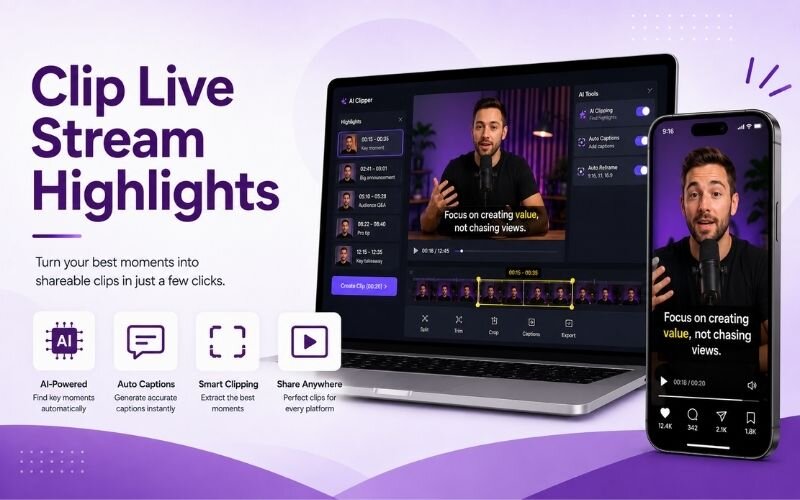
You can repurpose live streams into short clips by using AI to find the best moments from Twitch or live recordings, reframe them to vertical, and caption them for reels and shorts.
Meanwhile the stream contained genuine highlights — reactions, explanations, funny moments — that would perform well as standalone clips.
The gap is entirely logistical. Finding the best moments from live streams in hours of footage is what stops most streamers.
How Do You Repurpose Live Streams Into Short Clips?
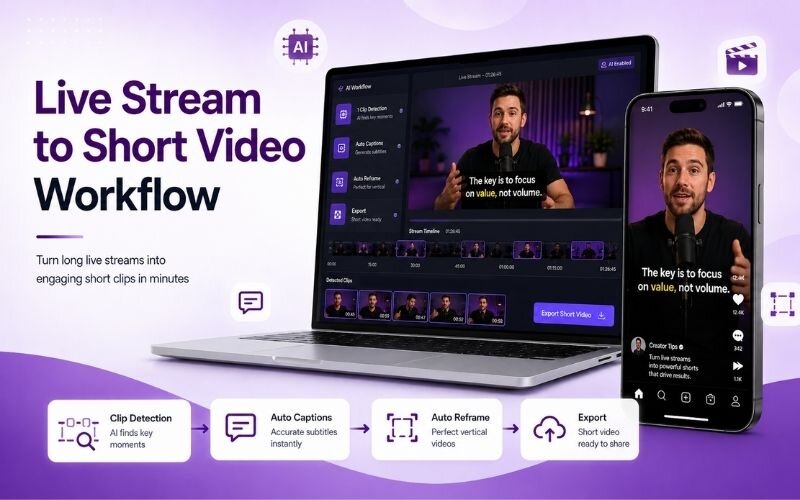
The reliable process for how to repurpose live streams into short clips:
- Step 1: Download the VOD as soon as the stream ends. Some platforms expire recordings, so archive before anything else.
- Step 2: Run it through the AI video clip generator to detect chat spikes, audio energy, and reaction moments automatically.
- Step 3: Cross-check against your chat log. Moments where chat exploded are already audience-validated highlights.
- Step 4: Trim tightly and reframe to vertical using Smart Crop, keeping your facecam and the action both in frame.
- Step 5: Add captions for commentary and publish across Shorts, Reels, and TikTok over the following week.
A four-hour stream typically yields twelve to twenty clips using this approach.
Best Moments From Live Streams — What to Clip
Identifying the best moments from live streams is most of the work:
- Chat reaction spikes — wherever chat suddenly floods, something happened worth clipping. Your audience marked it for you live.
- Unscripted reactions — genuine surprise, laughter, or frustration. Unrehearsed moments are what live content uniquely produces.
- Clear explanations — moments where you answered a viewer question well. These work standalone and often rank in search.
- Technical wins or fails — anything with a visible outcome. Success and failure both perform when the result is obvious.
- Guest interactions — if someone joined the stream, those exchanges are usually the highest-value segments of the session.
Live Stream to Short Video Workflow — Timing Comparison
How different approaches to a live stream to short video workflow compare:
| Approach | Time per stream | Clips found | Quality |
|---|---|---|---|
| AI detection | 15-20 minutes | 12-20 | Consistent |
| Chat log review | 30-45 minutes | 8-12 | Audience-validated |
| Manual scrubbing | 3-5 hours | 6-10 | Variable |
| Live clipping | During stream | 3-6 | Best moments only |
AI detection cross-checked against your chat log gives the best combination of speed and audience validation.
How Do You Turn Twitch Streams Into Reels Specifically?
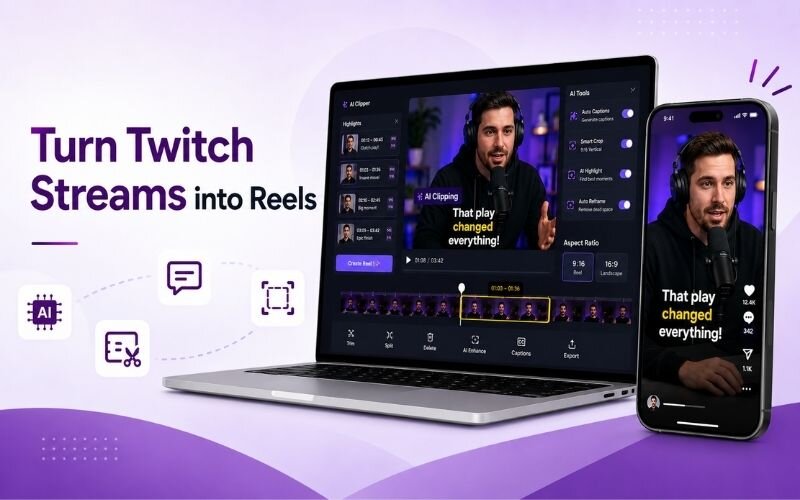
To turn twitch streams into reels, the main adjustment is framing. Twitch layouts are wide with facecam in a corner and overlays around the edges.
Vertical reframing needs to keep both your face and the main action visible, which usually means a stacked layout rather than a single crop.
Strip stream overlays where possible — alerts and chat boxes clutter a vertical frame. See our live stream clips guide.
Expert Tips to Clip Live Stream Highlights
These habits make it faster to clip live stream highlights every week:
- Use a clip hotkey during the stream. Marking moments live saves enormous time and catches things AI might rank lower.
- Watch your chat log first, not the video. Timestamps of chat spikes point you to highlights in seconds.
- Clip within twenty-four hours. Stream moments are timely, and relevance decays faster than for evergreen content.
- Batch process each stream in one sitting using batch creation so it never becomes a backlog.
- Distribute the same clip everywhere with multi-platform repurposing — stream clips travel well.
Every stream you finish is a week of short-form content you have already recorded.
Frequently Asked Questions
How do I repurpose live streams into short clips?
Download the VOD, run AI detection for chat and audio spikes, cross-check your chat log, trim tightly, reframe vertical, and caption. That is how to repurpose live streams into short clips.
How do I clip live stream highlights quickly?
Use a clip hotkey during the stream and review chat spike timestamps afterwards. That is the fastest way to clip live stream highlights without watching the full VOD.
How do I turn Twitch streams into Reels?
Reframe the wide Twitch layout so facecam and action stay visible, usually stacked vertically, and strip overlays. That is how to turn twitch streams into reels cleanly.
What are the best moments from live streams to clip?
Chat reaction spikes, unscripted reactions, clear explanations, technical wins or fails, and guest interactions. The best moments from live streams have visible outcomes.
How many clips can one stream produce?
A four-hour stream typically yields twelve to twenty usable clips. Streams with guests or high chat activity produce more.
What does a good live stream to short video workflow look like?
Archive the VOD, detect highlights with AI, validate against chat, trim, reframe vertical, caption, and schedule. A repeatable live stream to short video workflow prevents backlog.
TESTIMONIAL
“A stream ends and the value evaporates. Clipping is the only thing that converts a live audience into an audience that finds you later.”
— Valentina, ReframeX Content Team
Turn Every Stream Into a Week of Clips
Now that you know how to repurpose live streams into short clips, try ReframeX free for highlight detection, vertical reframing, and captions. No credit card required.
Valentina
Written by Valentina — live content strategist with seven years helping streamers convert broadcasts into short-form libraries across YouTube, TikTok, and Instagram.